
How Can I Expand the Forced Browsing Attack List?
This FAQ explains how you can expand or use your own list for the Forced Browsing security check in Netsparker Desktop web application security scanner.

Forced Browsing is a security check in which the web vulnerability scanner tries to enumerate and access resources that are not linked from the web application but are still accessible. It is also commonly reffered to as Common Directories check. If such resources such as backup files and admin portals are discovered they could aid an attacker craft an attack against your website.

The Forced Browsing attacks in Netsparker are handled by the Resource Finder module.
Enabling / Disabling the Forced Browsing Security Check
By default the Forced browsing check is enabled and you can disable it by unticking the option Common Directories in the Scan > Security Checks section when configuring your scan policy.
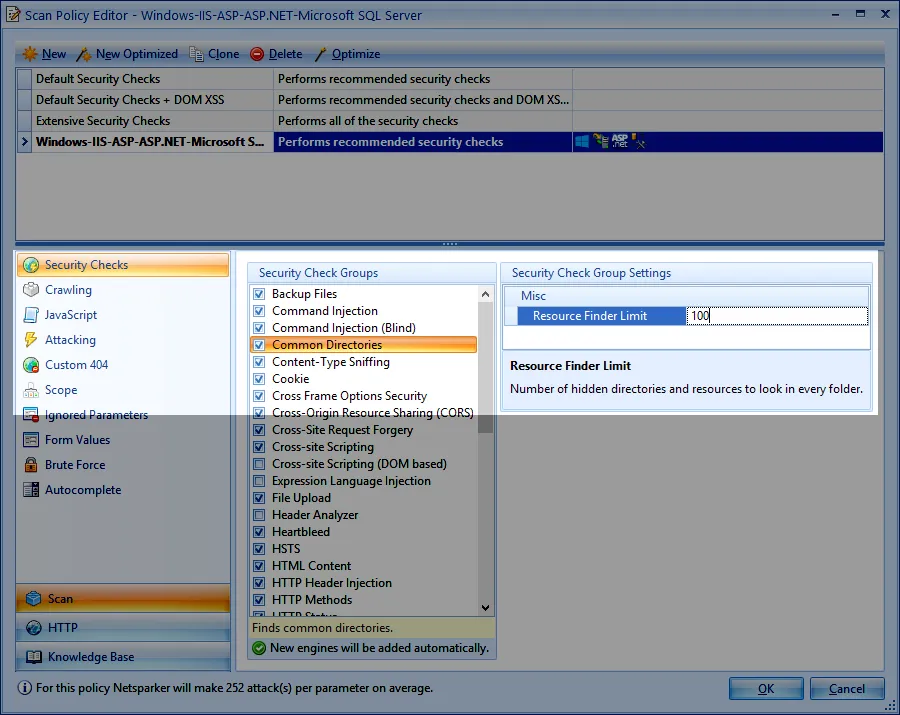
From this section you can also specify how many checks
Add Your Own Forced Browsing Keyword List
To add a list of keywords for forced browsing you can either update the existing list that Netsparker has or simply replace it. The list that Netsparker uses can be found in the following file:
My Documents\Netsparker\Resources\Configuration\Folders.txt
Once you update or replace the file restart Netsparker Desktop so it can load the new file.
Erleben Sie die Zukunft von AppSec
